Live room status, today’s bookings and a Book now button outside every meeting room. No-shows free themselves, so no staff needed. Big offices pay up to ₹1 lakh per room for dedicated screens. DeskLinq Room Displays runs on the tablet you already have, and is ready in 2 minutes.
Have a meeting room on DeskLinq? You’re 2 minutes away. Not yet? Listing one takes about 10.
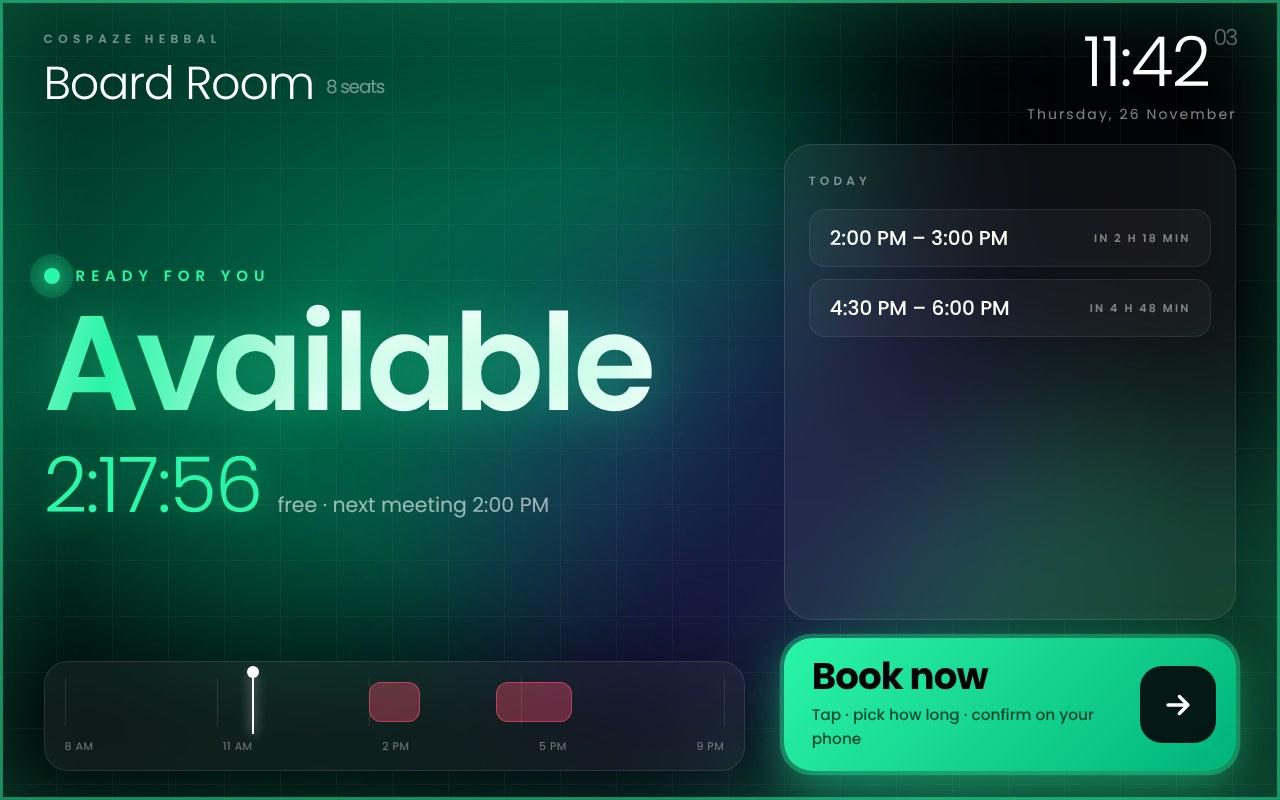
The whole screen changes colour with the room’s status, so it reads from across the floor. Bookings show as times only, never names.
Available
Green screen, time until the next meeting, and a big Book now button.
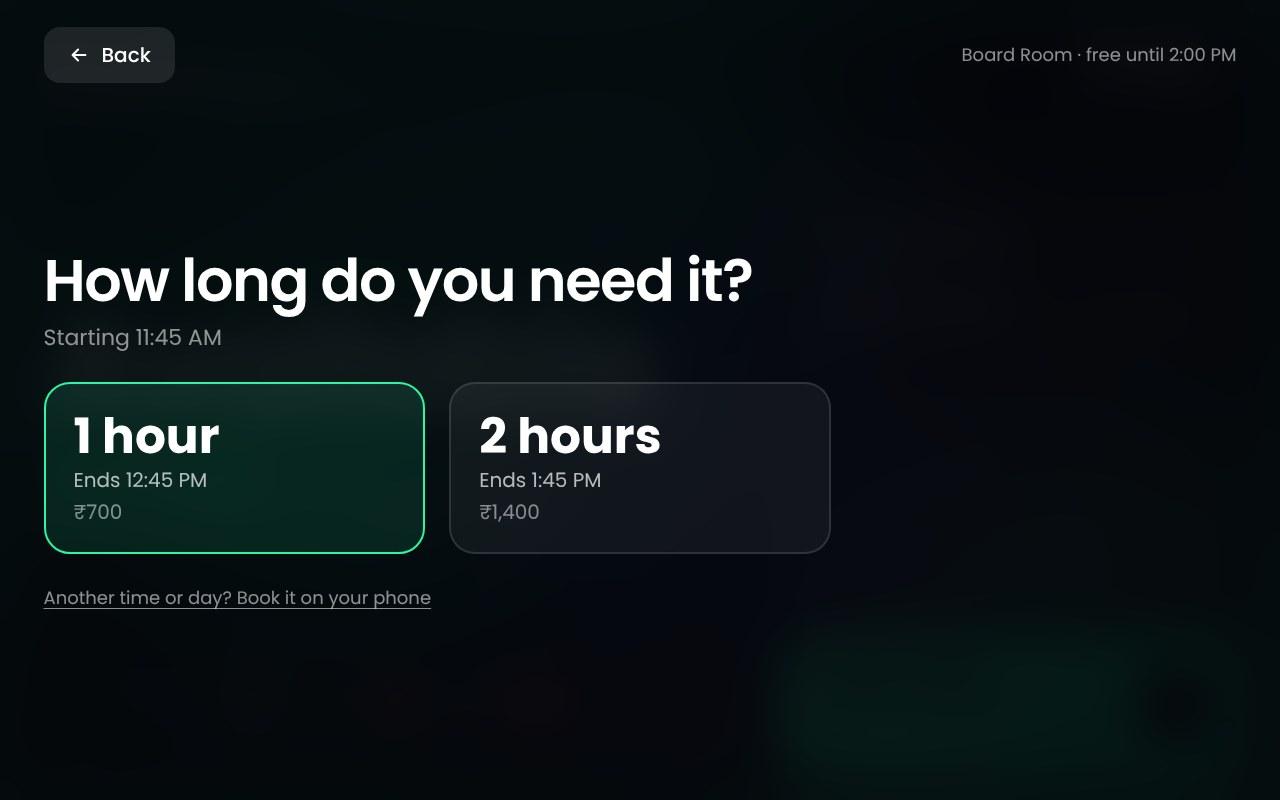
Book now
Walk-ins tap, pick how long, and see the end time and price.
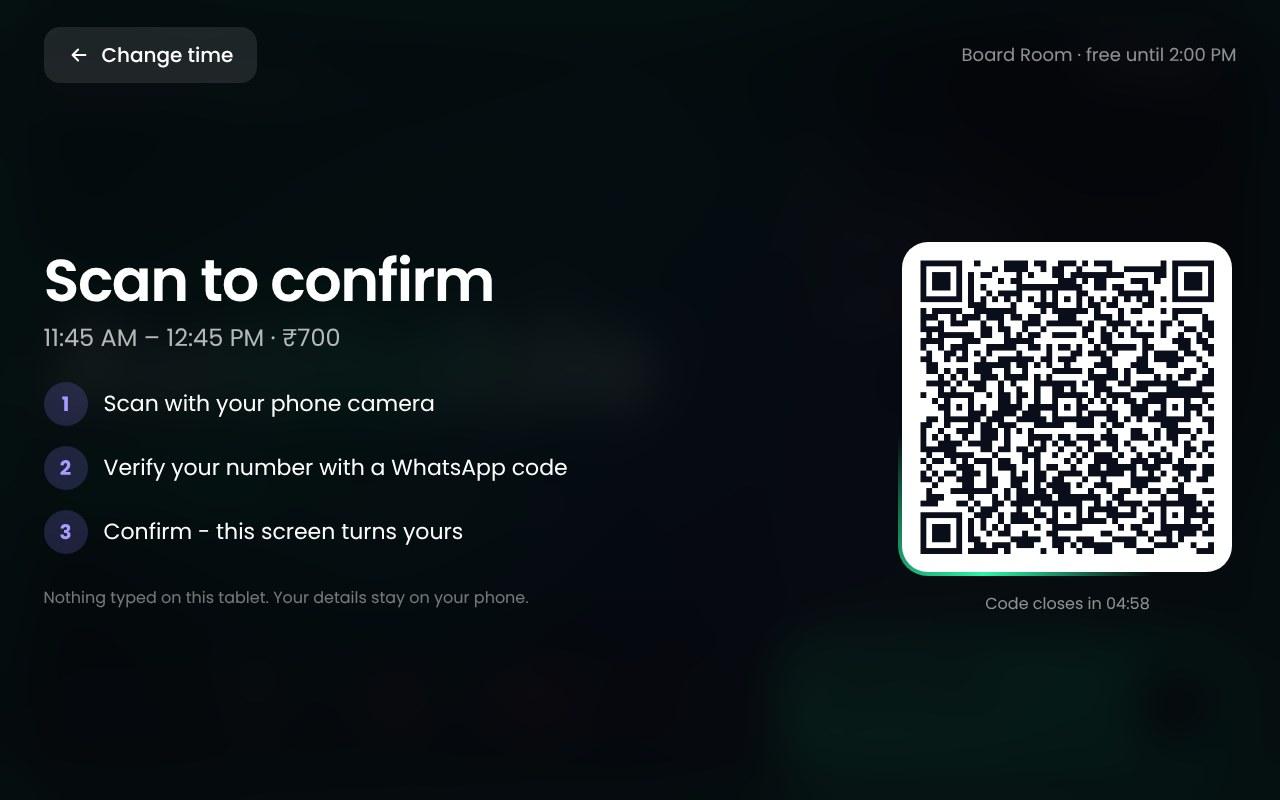
Confirm on the phone
A QR for that exact slot. They verify on WhatsApp and confirm. Nothing typed on the tablet.
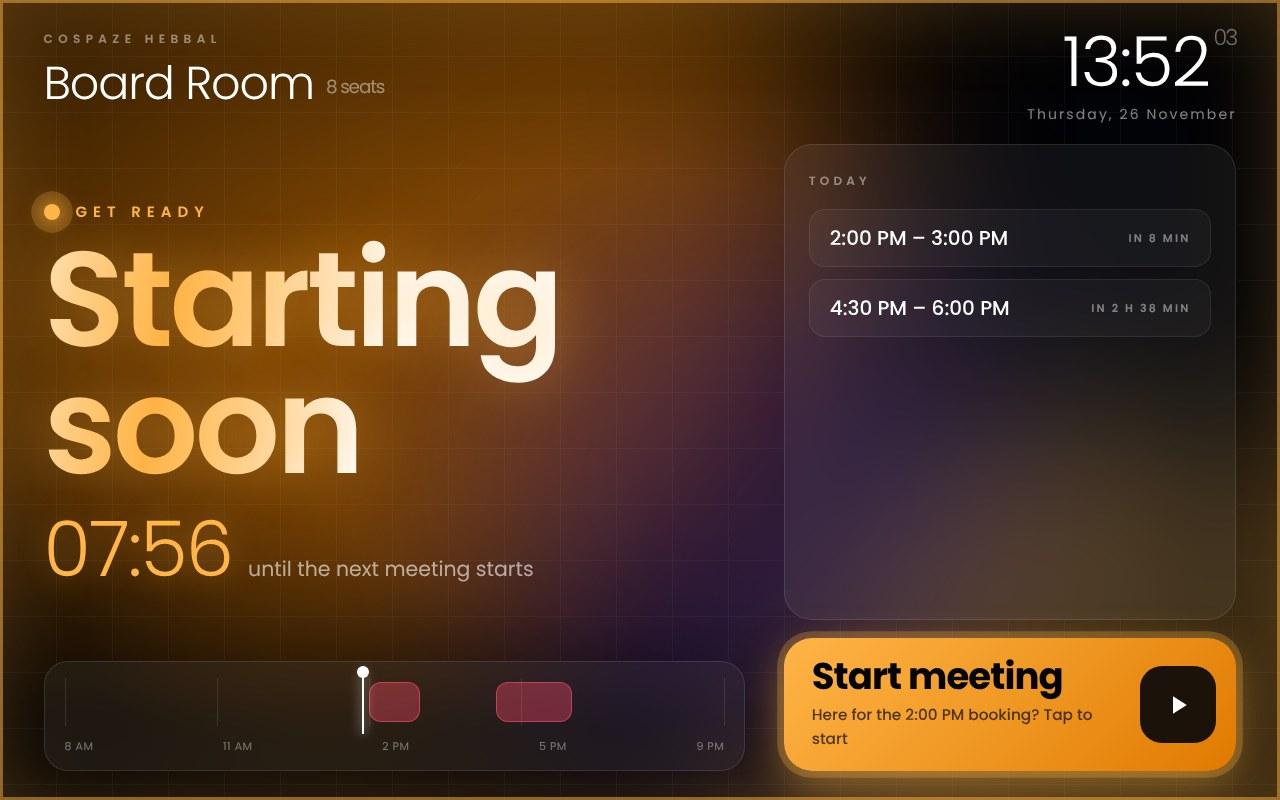
Start meeting
Amber before a booking. Nobody taps Start within 10 minutes? The room frees itself.
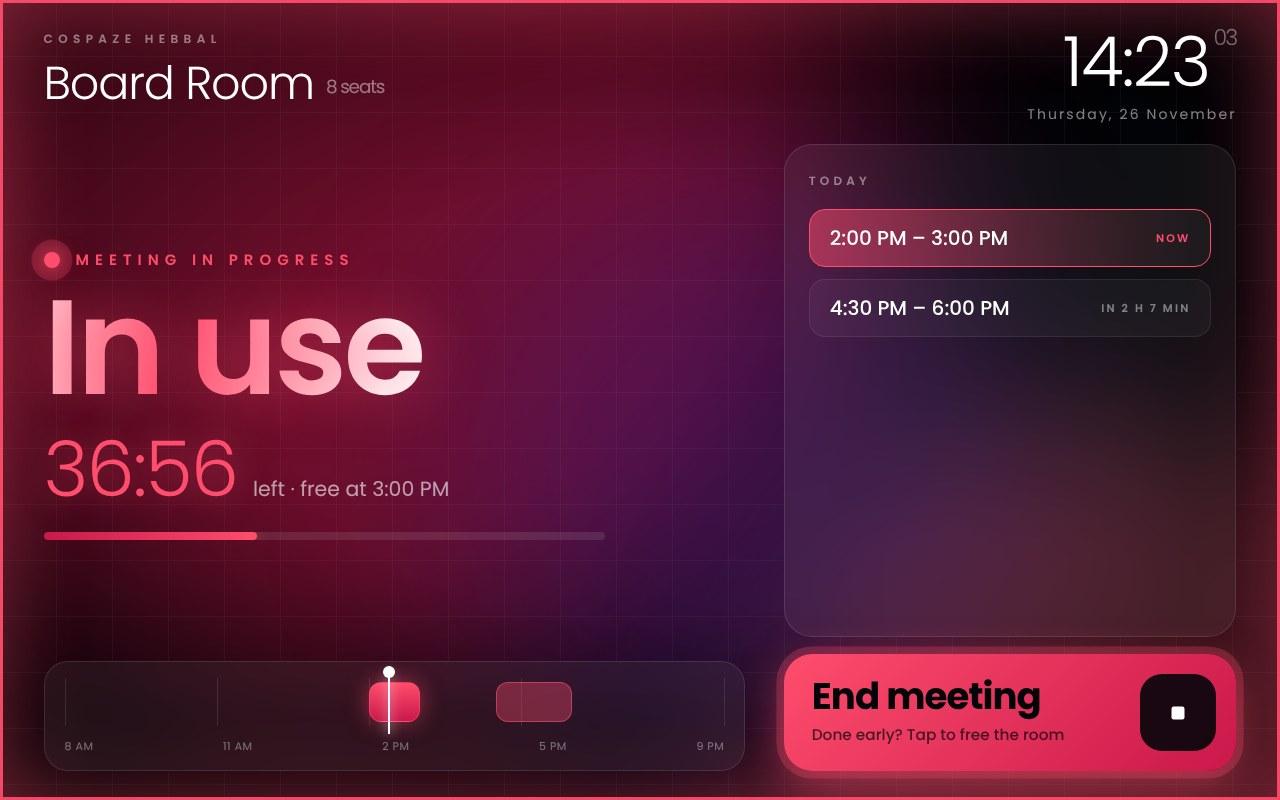
In use
Red screen, a live countdown, and End meeting - only the person who booked can free the room early.
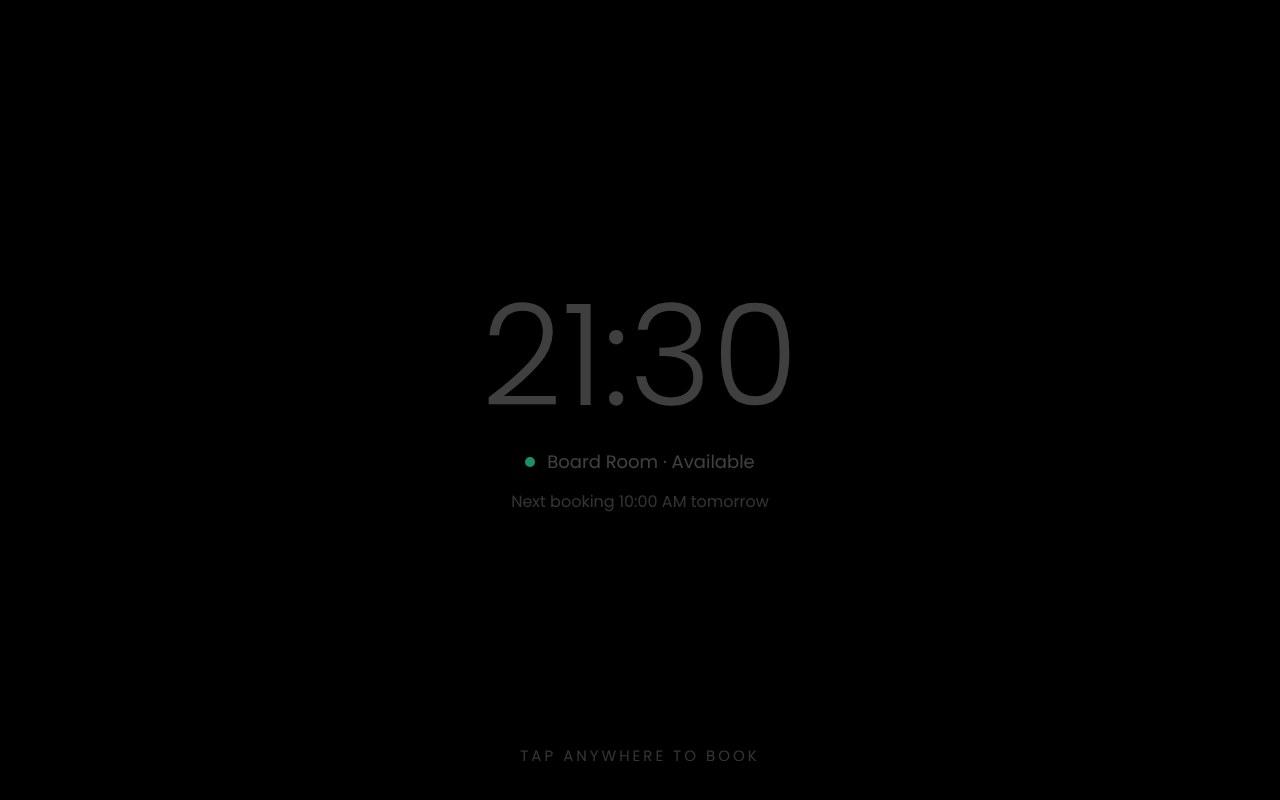
Night mode
Dims after hours, shows the next booking, and wakes 15 minutes before it.
Leave a few details and we’ll set it up with you.
Open desklinq.ai/room on any tablet
Any browser. The screen shows a 6-digit pairing code.
Enter the code in your DeskLinq dashboard
Pick the meeting room. The tablet switches to it within seconds.
Mount it by the door
Lock it in kiosk mode and keep it on a charger. That is it.
All you need: a meeting room listed on DeskLinq, any tablet with an up-to-date Chrome or Safari, Wi-Fi, a wall mount and a charger.
List a meeting room →The same result at the door, without the hardware bill.
| Dedicated room panel | DeskLinq Room Displays | |
|---|---|---|
| Hardware | Dedicated panel per room | Any tablet you already have |
| Cost per room | ₹60,000 – ₹1,20,000+ | ₹0 software for 6 months |
| Yearly licences | Usually, per panel | None during the trial |
| Installation | Installer, cabling, often PoE | A wall mount and a charger |
| Set-up time | Days, with IT | 2 minutes |
| Walk-in bookings | Rarely | Book now on every screen |
| No-shows | Room stays blocked | Freed automatically after 10 min |
| Staff needed | Often, to check rooms | None - the screen runs itself |
| New bookings from DeskLinq | No | Yes, shown automatically |
| Night mode | Varies | Dims at night, wakes before bookings |
Panel prices: approximate retail of dedicated room-scheduling panels, converted from US dollars; varies by model and reseller.
Live room status
Full-screen green, amber or red, readable from across the floor.
Live countdown
Minutes left in the meeting, or until the next one starts.
Today’s schedule
Every booking for the day, times only. Client names never show.
Book now
Walk-ins tap, pick how long and confirm on their phone. Empty rooms earn.
Start & end meeting
No-shows free the room after 10 minutes; groups that finish early free it with one tap.
Night mode
Dims from 7 PM to 9 AM (you choose), wakes 15 minutes before a booking.
Kiosk lock
Works with Fully Kiosk Browser (Android) and Guided Access (iPad).
Watch every screen
See which tablets are online and what each one shows, from your dashboard.
Runs itself
Reconnects after Wi-Fi or power cuts and updates itself. Nothing to install.
Coworking spaces
Make every meeting room look premium and turn walk-ins into bookings.
Business centres
Clear status at every door, without buying a panel for each room.
Offices with meeting rooms
Stop people knocking on doors to ask "is this free?".
Works with the system you already use
DeskLinq bookings show up on their own. Run your rooms on Google Calendar, Microsoft 365, Nexudus, OfficeRnD, Cobot, Optix or your own system? Tell us which one and our team connects it for you.
Ask us to connect yours → connect@desklinq.comA screen mounted outside a meeting room that shows whether the room is free or in use, the day’s bookings, and how to book it. DeskLinq Room Displays turns any tablet into one.
6 months free. Every room.
No payment needed, no contract. Need a hand? Write to connect@desklinq.com.